
RSS (Rich Site Summary) is a format for delivering regularly changing web content from websites that publish content regularly (e.g. news websites, blogs etc). Many news-related sites, weblogs and other online publishers syndicate their content using an RSS Feed to whoever wants it. Establishing an RSS feed for your blog means that people can tap into your content in a number of different ways, and always stay up to date with you. Handily you can also set up your RSS feed to publish automatically to your social media accounts, saving much time and effort!
I already have a WordPress website, where’s my RSS feed?
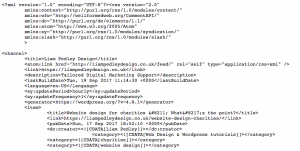
Every WordPress website/blog generates an RSS feed automatically, which we can all agree is a really helpful feature. Generally to find your feed, you just need to append /feed/ to your URL. For instance if your website is www.mywebsite.com, your feed would be found on www.mywebsite.com/feed/. Typing this into your web browser should bring up the raw file as seen below:
Once you have found your feed, you can utilise it to post automatically to your social media accounts as well as to automate a few other tasks for digital marketing and engagement purposes (learn more on Feedburner).
I’ve found my RSS feed, but it’s broken!
Unfortunately life is never as simple as you hope it will be. You might have been trying to add your RSS feed into another service to automate your marketing and found that for some reason the link won’t validate, even after you’ve spent 15 minutes ensuring it is spelt correctly. It’s likely that the cause of this error is due to a very common issue with WordPress generated feeds. The error will look something like the below when you try and validate it using any available online tools.
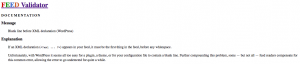
You can use tools like the W3 validator to understand precisely why your RSS feed is broken, however sometimes the guidance is a bit confusing to a beginner and may send you down a lengthy path in the wrong direction.
We encountered this error recently whilst reconfiguring our RSS feed to publish posts automatically to social media through Hootsuite (If you haven’t heard of Hootsuite we highly recommend you give it a look over by clicking here). After searching all of our wp-config, functions and disabling plugins one by one as the guidance suggests, we were still unable to resolve the issue.
How do I fix my RSS feed?
Luckily after a brief period of frustration we were able to sort the issue out easily with… you guessed it – a plugin!
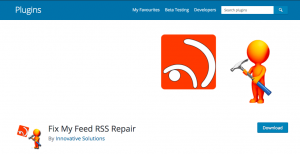
Fix my RSS feed repair is a fantastic plugin that eliminates this common blank space issue with WordPress in seconds. You can visit the plugin page by clicking here.
Once you have installed the plugin, you will need to navigate to “Tools” in the WordPress dashboard (/wp-admin), click “RSS feed fix” and then click “Fix feed”. Once you have done this your feed should be automatically fixed without the need for you to trawl through your files and plugins in a panic. You are then free to add it to any of your social media accounts using a service like Hootsuite.
We hope this article helped you, but if this fix did not work, get in touch with us as we would be happy to assist.